

Introduction: As developers, we’re constantly chasing efficiency. We’ve seen the rise of libraries, frameworks, and no-code platforms. But what if you could articulate your app idea—your “vibe”—and have a production-ready SaaS dashboard manifest in seconds? This isn’t a pipe dream in 2025; it’s Vibe Coding with YouWare AI.
Forget boilerplate code and YAML files. As an engineer who lives and breathes scalable architecture, I’m typically skeptical of “magic wand” solutions. However, YouWare’s blend of advanced LLMs, robust backend generation, and mobile-first design philosophy is genuinely transformative for rapid prototyping and MVP deployment. Let’s build a custom SaaS dashboard, not in hours or days, but in under 5 minutes.
The “Why” Behind YouWare: Developer Efficiency in 2025
For seasoned developers, YouWare isn’t about replacing us; it’s about augmenting our capabilities.
- Rapid Prototyping: Instantly validate ideas without a massive time sink.
- Frontend Delegation: Let YouWare handle the mundane UI while you focus on complex algorithms.
- Client Demos: Deliver interactive, live dashboards to stakeholders in real-time, drastically reducing feedback loops.
Step 1: Define Your Dashboard’s “Vibe” (The Core Prompt)
The secret to Vibe Coding is clarity of intent. Think like a product manager, not a coder. YouWare’s AI excels at translating natural language into structured code.
Our Goal: A simple SaaS dashboard for tracking customer subscriptions, revenue, and churn. It needs a modern dark mode, data visualizations, and user management.
The Prompt (Type or Speak into YouWare): "Build me a sleek, modern SaaS analytics dashboard with a dark mode theme. It should display key metrics like 'Total Active Users', 'Monthly Recurring Revenue (MRR)', and 'Customer Churn Rate' as interactive charts. Also, include a basic user management table with 'Name', 'Email', and 'Subscription Status' columns. Ensure the data is placeholder but ready for API integration."
That’s it. No component libraries, no database schemas, no routing. Just the “vibe.”
Step 2: YouWare Generates (The AI Takes Over)
Within seconds, YouWare’s AI will begin its magic.
- It interprets your request: identifying components (charts, tables, key metrics).
- It designs the layout: defaulting to best practices for dashboards.
- It provisions the backend: setting up a basic database structure (e.g.,
userstable,subscriptionstable). - It generates the frontend code: React/Next.js with Tailwind CSS, ready to be iterated upon.
Step 3: Refine Your Dashboard (Interactive Iteration)
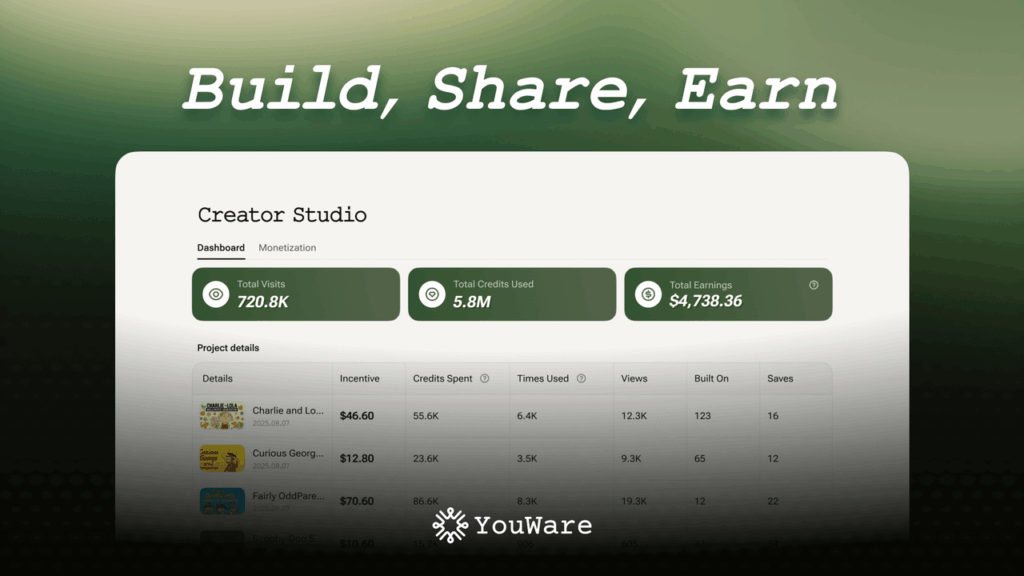
YouWare’s interface is designed for rapid iteration. You’re not stuck with the first output.
Prompt Example: "Change the 'Customer Churn Rate' chart to a line graph. Add a 'New Signups' metric with a bar chart. Integrate a date range filter for all metrics."
Key Feature: The “Boost” Button Feeling the design isn’t quite right? Hit the “Boost” button. YouWare’s design model will automatically apply subtle design improvements, adjust spacing, typography, and color palette, transforming your functional prototype into a polished UI.
Step 4: Real-time Data Integration (The Developer Hook)
This is where YouWare empowers us as engineers. While the initial data is placeholder, the generated app is fully prepared for API integration.
- API Endpoints: YouWare provides basic, auto-generated API endpoints (e.g.,
/api/users,/api/subscriptions). - Code Export: For Pro users, you can download the clean, modular code. This allows you to connect your actual backend, integrate with Stripe for subscriptions, or pull data from your existing data warehouse.
- Figma Sync: Already have a Figma design? Upload it, and YouWare will convert it to a functional dashboard, ready for your data.
Step 5: Deploy & Share (Instant Live Access)
The final, crucial step: deployment.
Once you’re satisfied with your dashboard, click the “Deploy” button. YouWare instantly provisions a secure, public URL for your application. Share it with your team, investors, or early users. No CI/CD pipelines, no Docker containers, no server configurations. It just works.
Beyond the 5 Minutes: What’s Next for Your YouWare Dashboard?
- Custom Domains: Map your new dashboard to
dashboard.your-saas.com. - Authentication: Add robust user authentication with a simple prompt.
- Scaling: While YouWare’s free tier is generous, Pro plans offer higher rate limits and more robust backend infrastructure for growing applications.
Conclusion: Vibe Coding is the New Agile
YouWare isn’t just another no-code tool; it’s a paradigm shift towards truly intent-driven development. As a developer, the ability to spin up a functional, aesthetically pleasing SaaS dashboard in literally minutes frees up immense time for tackling the complex, unique challenges that only human ingenuity can solve.
Embrace Vibe Coding. Build faster. Innovate harder.

Responses (0)
Be the first to respond.