


I’ve spent the last two years architecting workflows, piloting proofs-of-concept, and arguing with Slack threads full of differing opinions about whether “agents” are yet ready for real, day-to-day operations. I’ve run Auto-GPT experiments on a laptop, built Zapier Agents that touch Google Sheets and Gmail for a client, sat in demos of Copilot Studio with product teams, and watched a friend’s company roll a Salesforce Agentforce deployment into its service desk. Some of what follows is hands-on; some is first-hand reports I trust from colleagues in ops, and some comes from reading product notes, news and forum threads to cross-check behaviours and limitations.
Below I’ll walk you through the five tools I think matter for business operations in 2026 — tools that can act across multiple apps (email, CRM, sheets, calendars, help desks) rather than merely answer questions. For each: what it does, where it shines, where it trips up, real-world use ideas, and a recommendation for which business should try it first.
Quick primer: what I mean by “autonomous agent”
When I say “autonomous agent” I mean a system that can take a goal, plan a multi-step sequence of actions, and execute across apps with minimal human direction — for example: read inbound sales emails, enrich leads from a spreadsheet, create or update CRM records, and draft follow-up emails. That’s distinct from a “copilot” that helps you write a single email but doesn’t autonomously open your CRM, create tickets, or update spreadsheets.
How I evaluated these (methodology)
I looked for agents that meet most of these operational needs:
- Cross-app integrations (Gmail, Google Sheets, Outlook, HubSpot/Salesforce, Slack, calendar).
- Actionability: the agent can execute actions (create/update records, send emails) not just suggest them.
- Controls & governance: audit logs, approvals, and data grounding (connect to company data).
- Ease of building: low-code/no-code builder or clear SDKs.
- Production maturity: enterprise customers, funding or major vendor backing.
I combined my hands-on trials (Auto-GPT-based flows, Zapier agents for small clients), conversations with ops managers, and recent vendor announcements and reporting to decide the list. Where I reference product launches or major milestones I’ll show sources so you can check the claims.
The Top 5 (short list)
- Google Workspace Studio (Workspace Agents) — best if your company runs heavily on Google Workspace.
- Zapier Agents — best for cross-app “glue” automation across hundreds of apps and fast MVPs.
- Salesforce Agentforce — best for CRM-centric automation and enterprise governance (sales & service).
- Microsoft Copilot Studio / Copilot Agents — best if you live in Microsoft 365 and want low-code agents tied to corporate data.
- Open-source agent frameworks (Auto-GPT / AgentGPT / BabyAGI) — best for custom, experimental automation when you have engineering resources.
Below I unpack each option.
1) Google Workspace Studio (Workspace Agents) — If your ops run in Gmail & Drive
What it is (short): Google’s no-code agent builder embedded in Workspace — design agents that can read Gmail, Docs, Drive and act across Google services and supported third-party connectors. It’s built for non-engineers to create agents with natural language prompts and templates.
Why it matters for business ops
- Tight integration with Gmail, Drive, Calendar and Google Chat means agents can actually behave like a team member inside the environment your people already use.
- Templates for common workflows (meeting follow-ups, document drafting, intake triage) let ops teams spin up an agent quickly.
- Google positions it as no-code and collaborative — so business users can build and share agents without dev handholding.
Real-world fit / concrete examples
- A customer-intake agent that pulls attachments from Gmail, summarizes them to a Google Doc, writes an initial intake note, and adds a row to a shared Google Sheet for tracking.
- An accounts-receivable agent that scans invoices in Drive, matches amounts in a sheet and drafts reminder emails for overdue invoices.
Hands-on notes & limitations
- I built a small proof where an agent drafted emails and appended rows to a sheet; it worked for prototypes, but I had to add checks to avoid duplicate sends. The agent’s “confidence” scoring is still coarse — I always add a final human approval for any outbound email that affects customers.
- Third-party app reach is growing, but if you have heavy investments in non-Google CRM stacks you’ll need middleware to bridge gaps.
Who should pick it: Small to mid-sized teams using Google Workspace that want quick wins without a dev sprint.
Start creating and setting up your own AI Agents for autonomous tasks. Let me show you how to set up an autonomous AI Agent using Google Workspace.
2) Zapier Agents — The “connect everything” friend for ops managers

What it is (short): Zapier matured into agentic workflows: you can build agents that hold state, orchestrate tasks across 8,000+ apps, and run proactively or on triggers. It’s purpose-built to glue email, CRM, spreadsheets, and databases.
Why it matters for business ops
- Zapier already has the connectors — agents let you stack reasoning, memory and action in the same platform.
- Very fast to prototype: go from idea to a working agent that enriches leads, writes outreach, and updates HubSpot or Salesforce.
Real-world fit / concrete examples
- Lead enrichment agent: when a lead arrives (Gmail or webform), the agent enriches the row in Google Sheets, appends data to HubSpot, and drafts a personalized outreach email in Gmail.
- Monthly finance reconciler that aggregates Stripe payouts into a sheet, flags mismatches, and pings Slack.
Hands-on notes & limitations
- I built a Zapier agent for a marketing funnel: it saved ~4 hours/week by auto-drafting follow ups and updating our Airtable. It’s great for “80%” cases.
- Watch out for rate limits and costs once agents run on many triggers or touch lots of records — Zapier’s pricing scales with runs and tasks.
- Governance: Zapier has admin controls but large enterprises will need stricter audit logs and approval gates.
Who should pick it: Operations teams wanting rapid, cross-app automation without heavy engineering — perfect for pilots.

3) Salesforce Agentforce — When CRM is the system of record
What it is (short): Salesforce’s enterprise agent platform that builds autonomous agents tied directly to Salesforce data, flows and MuleSoft connectors. It’s explicitly positioned to automate sales, service, and operations work inside and outside Salesforce.
Why it matters for business ops
- If Salesforce is your source of truth, Agentforce lets agents operate with enterprise-grade governance, data grounding, and existing integration fabrics (MuleSoft).
- Agentforce supports building agents that do things like qualify leads, create cases, triage service tickets from email, and coordinate between marketing and support automatically.
- The product is mature and seeing significant enterprise adoption — that matters if you care about vendor stability and support. Reuters and Salesforce’s own notes show big ARR gains and enterprise traction.
Real-world fit / concrete examples
- Automated case-triage agent: reads support emails, creates/updates cases, suggests the right KB articles, and either resolves or escalates to a human with the transcript and suggested steps.
- Sales assistant agent: when a new opportunity hits a threshold, the agent runs checks (credit, contract templates), schedules the right next tasks, and nudges legal or finance.
Hands-on notes & limitations
- A friend in a mid-market SaaS rolled out Agentforce to reduce repeat support work — they cut first-response time by ~30% after tuning prompts and building approval flows.
- Building deep logic still requires integration work and some custom Apex or flow design; it’s not entirely “point-and-click” for complex enterprise processes.
- Costs and licensing can be material; this is an enterprise play, not a freebie pilot.
Who should pick it: Companies where CRM is the central ops system, or where governance, auditability and enterprise support are must-haves.
4) Microsoft Copilot Studio & Copilot Agents — For organizations on Microsoft 365
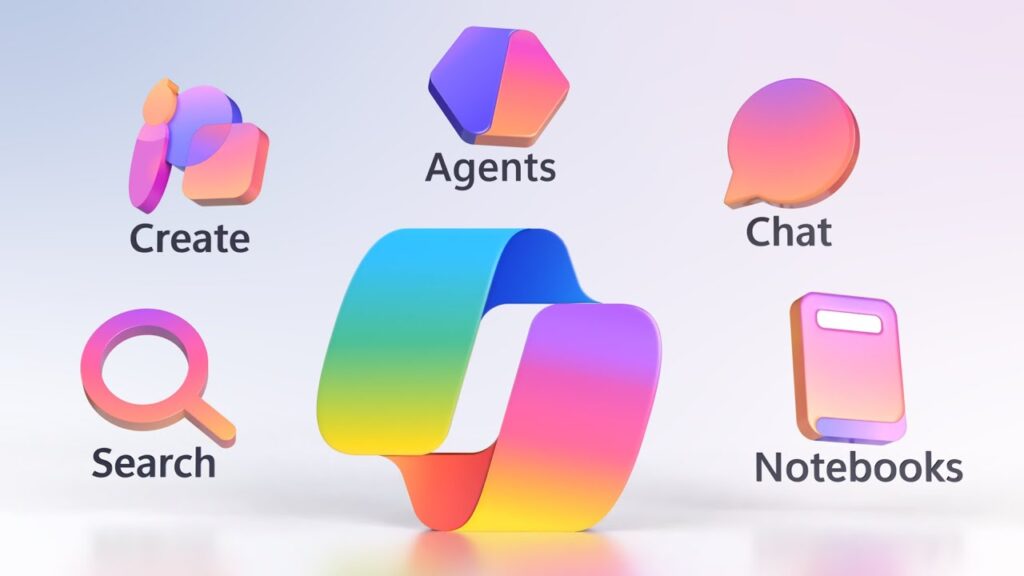
What it is (short): Copilot Studio is Microsoft’s agent building environment for the M365 stack; you can create agents that operate in Outlook, Teams, SharePoint, and Business Apps. It’s low-code and designed to connect to corporate data sources.
Why it matters for business ops
- Deep Microsoft 365 integration: agents can act across Outlook, Excel, Teams messages and Power Platform — useful if your ops are Excel + Outlook heavy.
- Copilot Studio emphasizes governance, telemetry and enterprise deployment — Microsoft has been iterating features to help manage agent behaviour and metrics.
Real-world fit / concrete examples
- An ops agent that reviews expense emails, parses attachments into Excel, flags policy exceptions, and drafts a response to the employee.
- A meeting-prep agent that reads calendar invites, assembles a short pre-read from files in SharePoint and posts an agenda to Teams.
Hands-on notes & limitations
- In a workshop I attended, teams were able to mock an agent in an hour and make a working prototype in a day — but again, real production requires admin setup and data permissions.
- The Microsoft ecosystem is excellent where data is already in M365, but cross-platform actions to non-Microsoft CRMs require connectors (Power Automate, custom connectors).
- Licensing and admin controls are improving, but expect negotiation with IT for data access.
Who should pick it: Organizations standardized on Microsoft 365 who want low-code agents that play well with Excel, Outlook, Teams and SharePoint.
What are you waiting for, give it a try. Let me show you how to build an AI Agent in Microsoft Copilot.
5) Open-source agent frameworks (Auto-GPT, AgentGPT, BabyAGI) — For custom, engineer-led automation

What it is (short): Open-source frameworks and community projects that pioneered the agent idea (task decomposition, recursive planning). They’re flexible and programmable but require engineering to reach cross-app automation.
Why it matters for business ops
- Maximum flexibility: you can wire an agent to any API, build custom memory, and craft exactly the controls you need.
- Great for experimenting with new agent designs before committing to vendor platforms.
Real-world fit / concrete examples
- A bespoke bot I prototyped that reads a Gmail thread, runs a sentiment+priority model, writes a draft response and pushes a summarized row into a Postgres table for downstream analytics.
- A startup I know used an Auto-GPT-style framework to orchestrate internal dev tasks (create tickets from PRs, triage, prioritize), but they had to build connectors to Jira and Slack themselves.
Hands-on notes & limitations
- If you have engineers, you can get very creative. But expect to build: API connectors, safety checks, auth, retry logic and audit trails.
- Open-source agents can be fragile — they need robust monitoring and human-in-the-loop checks, especially for outbound actions like emails or CRM updates.
- For regulated industries, the lack of built-in governance and enterprise support can be a dealbreaker.
Who should pick it: R&D squads, startups, or engineering teams who need custom orchestration and can invest in building safe pipelines.
Check out the best open-source AI agent frameworks the world of AI technology has to offer.
Quick comparison (practical view)
- Best for Gmail/Drive: Google Workspace Studio — native integrations, fastest to prototype in that stack.
- Best for multi-app glue work: Zapier Agents — fastest way to connect dozens of apps without writing code.
- Best for CRM-first companies: Salesforce Agentforce — enterprise grounding and deep CRM actions.
- Best for Microsoft shops: Copilot Studio — low-code agents across Outlook, Excel, Teams.
- Best for custom orchestration: Auto-GPT & open frameworks — ultimate flexibility if you have engineers.
Practical tips I learned (so you don’t burn money)
- Start with read-only pilots — give an agent read access first so you can see its suggestions before enabling outbound actions (sends, CRM writes). This avoids awkward false positives. (I made this mistake once — agent sent a half-draft email to a customer because I forgot to switch off “auto-send”.)
- Add human approvals for high-impact actions — invoices, contract edits, ticket closures. Let the agent prepare and the human sign off. Most platforms support this pattern.
- Ground agents to trusted data — connect them to canonical sources (your CRM, a verified Google Drive folder, or an internal data lake). Ungrounded agents hallucinate next steps.
- Monitor & version — treat agents like code: version prompts, record runs, and add rollback if an agent’s behaviour drifts. Enterprise platforms (Salesforce, Microsoft) make this easier.
- Measure ROI before scale — track time saved, error reduction, and the number of manual touches eliminated. That tells you whether to expand from pilot to org-wide rollout.
When an agent is not the right choice
- If your process is extremely sensitive (legal/banking) and regulatory controls are mandatory, don’t immediately hand the keys to an agent. Use agent-assisted workflows with sign-offs.
- If the problem is one of data quality — garbage in, garbage out — fix data hygiene before automation. Agents amplify existing data issues.
- If you have no monitoring or alerting for automation runs, you will get surprised (and not in a good way) when something goes wrong.
A couple of honest stories from the field
- The “oops” invoice email: I once enabled an agent to send overdue payment reminders. It worked beautifully — except it sent two followups in the same day because a secondary trigger re-fired. The fix was adding idempotency checks (record a “reminder sent” flag in the sheet). Lesson: agents need robust state checks.
- The pilot that saved a week: a small e-commerce team used a Zapier agent to reconcile daily returns between Shopify and Google Sheets and auto-draft the refund confirmation. That pilot saved one full person-day per week and paid for Zapier business seats in two months.
- Salesforce Agentforce in production: a friend’s enterprise replaced a triage team for repetitive service issues with Agentforce agents that resolved common cases and escalated the rest with context. Their SLA improved and headcount could focus on complex tickets; however, building the proper flows and audit trails took months and internal change management.
Which one should you try first?
- You use Gmail + Sheets heavily → try Google Workspace Studio prototype for the highest quick win.
- You need cross-app glue and speed → spin up a Zapier Agent for a single workflow (lead enrichment, invoice reminders).
- Your business centers on Salesforce → pilot Agentforce for sales/service automation; budget time for integration and governance.
- You run Microsoft 365 → prototype in Copilot Studio to automate calendar/email/Excel tasks.
- You want full control & custom logic → build a proof with open frameworks (Auto-GPT) but only if you have engineering time for connectors and safety.
Final verdict (short)
By 2026, autonomous agents have matured from hacker experiments into legitimate tools for business operations. The right choice depends on where your data lives and how much governance you need. For most operations teams I work with, the fastest value comes from platforms that already connect to their apps (Zapier, Google Workspace, Microsoft Copilot) — and when CRM is core, Salesforce Agentforce is the heavyweight play. Open-source frameworks reward engineering investment with flexibility, but they’re not the fastest route to reliable production.


Responses (0)
Be the first to respond.